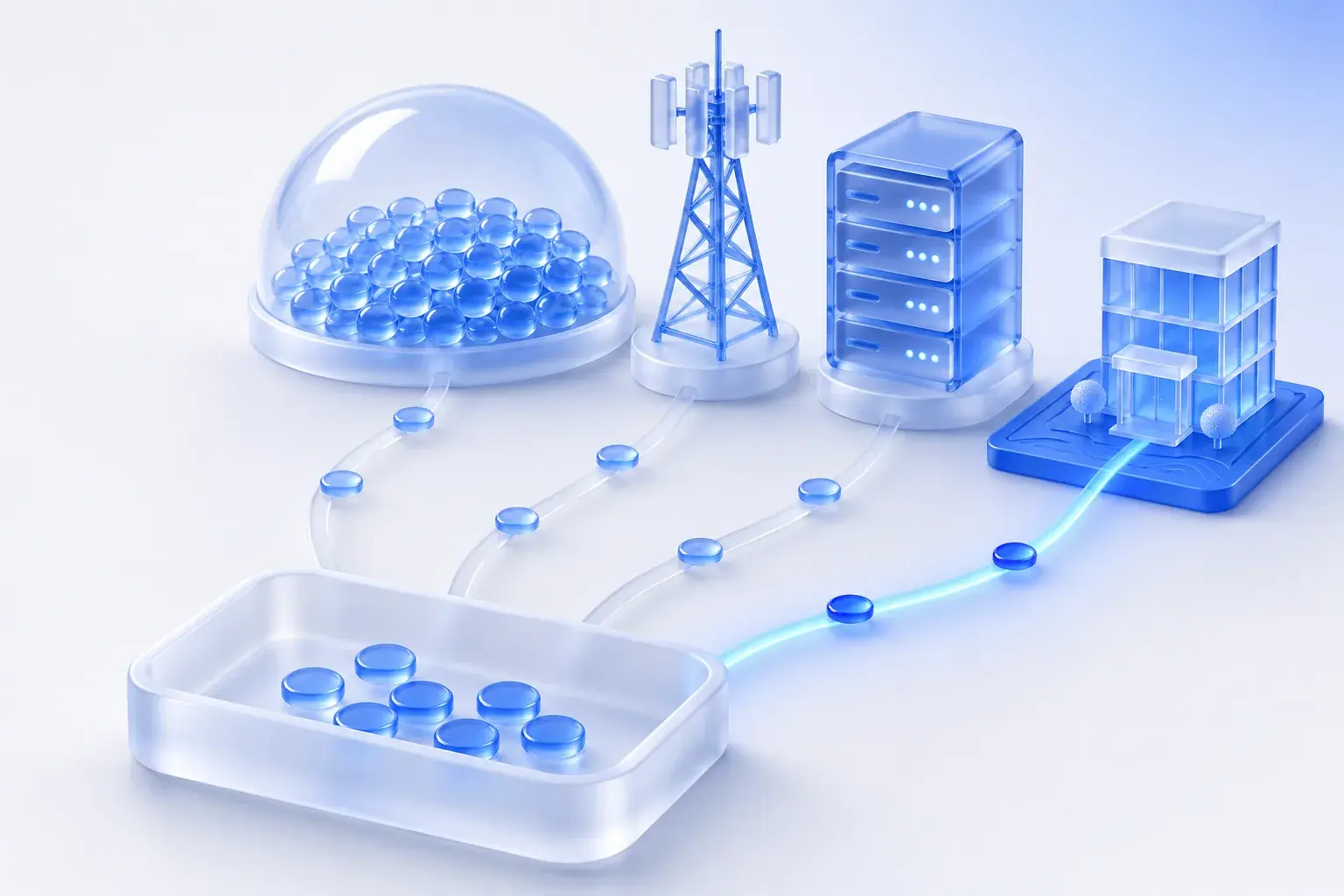
Fraud Prevention
Bot Traffic on Google Ads: Datacenter IPs, Fake Googlebots
Bot traffic on Google Ads still lands on your site. A Linode server posing as Googlebot went from 15 allow to 58 step_up once we passed its user agent.

Your clicks look automated: visits that leave at once, junk leads at 3 a.m. Then one line in your landing-page log shows a Googlebot user agent on a hit that carries a GCLID, the click ID Google Ads adds to paid clicks when auto-tagging is on.
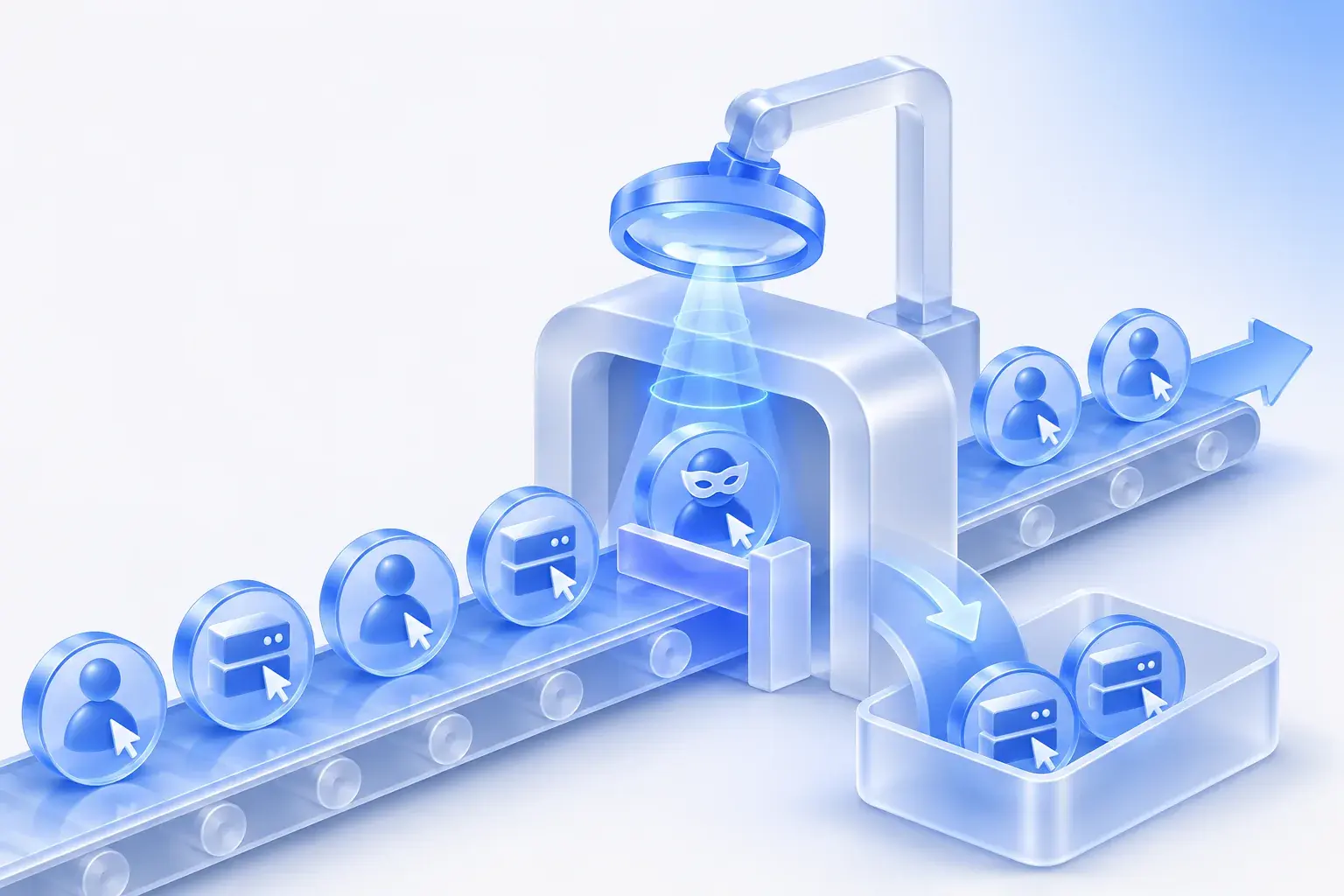
On 24 November 2026 GeoIPHub looked up one Linode server, 45.33.32.156, twice. As a plain request it scored 15, allow: a cloud address, nothing more. Sent with a Googlebot user agent, the same address came back spoofed: true and 58, step_up. Real Googlebot at 66.249.66.1 verified and scored 0. Our label function then sorted eight synthetic log rows: three cloud clicks, two fake crawlers, two verified Google crawlers and one stand-in for an ordinary visitor.
Bot traffic on Google Ads: what Google filters and what still lands
Bots do click Google Ads: Google counts clicks from bots as invalid traffic and doesn't bill the ones it catches before the billing cycle ends. In Google's own words (pages re-read on 24 November 2026):
- Bots are invalid. The invalid clicks page lists "Automated traffic: Clicks from automated tools, bots, or other deceptive software." and says "You won't be charged for invalid clicks or impressions."
- Most are caught early. The invalid traffic page says: "Google catches most invalid traffic shortly after the ad interaction. If Google identifies an interaction as invalid before the end of the billing cycle, you don't pay for it." Later finds come back as what Google credits after billing.
- Your site isn't covered. The same page: "These filters cannot block traffic from your site because they run after an ad serves", and "bots or users can still submit forms even if Google identifies the ad interaction as invalid."
- The form is your job. Google's advice: "Secure your website lead forms with tools like reCAPTCHA and server-side validation."
Who gains? Google's invalid-click list names clicks "that increase your ad costs or inflate publisher profits": a rival, or a site showing your ads. Some spikes aren't bots; Google's example: "Ads are showing on new Display Network sites".
How much of your traffic is bots? Google's invalid traffic page gives no share and says "There is no industry standard for a normal invalid traffic rate." Lunio's Global Invalid Traffic Report 2026 put the average invalid traffic rate across Google Ads at 7.57%, from 2.7 billion clicks on six ad platforms in 8 industries and 10 countries between 1 August 2024 and 31 July 2025, in accounts it monitored with blocking switched off. That is Lunio's count, not Google's, and it covers all invalid traffic, not bots alone. Declared crawlers and data-center traffic are the list-based tier; bots that pass as people are the harder one (how Google sorts invalid traffic).
The visits still land, so read the IP as evidence, not a verdict.
Which landing-page hits are paid clicks: GCLID first
With auto-tagging on, only landing-page hits that carry a GCLID, or wbraid or gbraid on some iOS clicks, are Google Ads clicks. Google's advertiser guide says: "If you have auto-tagging on and configured correctly, only the log entries with a GCLID parameter are clicks from Google Ads or Display & Video 360. Even if you find several entries with the same GCLID, you will only be charged for at most one click."
Crawlers and monitors (Google's, SEO tools', uptime checks) fetch your page; they aren't clicks. For wbraid and gbraid, see how iOS click IDs differ.
For form visitors, Google suggests you "record the IP address, the GCLID-parameter (if applicable), the referrer URL and user agent". Keep the user agent: the crawler check below needs it. Our unit here is one landing-page hit; to count repeats, group repeat clicks by GCLID and network.
Datacenter clicks on Google Ads: what the hosting flag tells you
A GeoIPHub lookup marks a click from a server network with detection.is_hosting: true, and on its own that scores 15, allow, because people rarely browse from servers but hosting alone isn't fraud. Looked up 24 November 2026, 05:07 to 05:08 UTC, keyless; stand-ins, none of them our ad clicks:
159.89.100.1, DigitalOcean
asn: 14061, "DIGITALOCEAN-ASN - DigitalOcean, LLC"detection:is_hosting: true,hosting_provider: "DigitalOcean",hosting_type: "cloud"scoring: 15,allow
52.0.0.1, Amazon Web Services
asn: 14618, "AMAZON-AES - Amazon.com, Inc."detection:is_hosting: true,hosting_provider: "AWS",hosting_type: "cloud"scoring: 15,allow, no crawler claim
8.34.210.1, Google Cloud
asn: 396982, "GOOGLE-CLOUD-PLATFORM - Google LLC"detection:is_hosting: true,hosting_provider: "GCP",hosting_type: "cloud"scoring: 15,allow, no crawler identity: Google's cloud customers aren't Google's crawlers
Why allow? Real people also leave from hosting networks: iCloud Private Relay egresses, corporate security gateways, VPNs, and AI agents browsing for a person. A hosting address on a paid click goes out of your leads and conversion data, not onto your exclusion list.
Our hosting flag comes from 853 curated hosting ASNs plus official ranges from 10 cloud providers. Test one address in the datacenter IP check, read what makes an address a datacenter IP, and see why 500 exclusions can't hold a cloud.
Fake Googlebots on ad clicks: pass the user agent to the lookup
A Googlebot user agent on an ad click proves nothing on its own, and the lookup checks the claim when you pass the user agent with it. Google's advertiser guide says of the user agent: "this information is very easy to fake, so do not rely too heavily on this data."
The lookup takes an optional user_agent query parameter (or an X-Client-User-Agent header), up to 512 characters; a longer one gets HTTP 400:
curl -G "https://api.geoiphub.com/v1/lookup/45.33.32.156" \
  --data-urlencode "user_agent=Mozilla/5.0 (compatible; Googlebot/2.1; +http://www.google.com/bot.html)"
Two trimmed lookups of the same Linode server, five seconds apart. First with no user agent:
{
  "ip": "45.33.32.156",
  "asn": {
    "asn": 63949,
    "org": "AKAMAI-LINODE-AP - Akamai Connected Cloud"
  },
  "detection": {
    "is_hosting": true,
    "hosting_provider": "Linode / Akamai",
    "hosting_type": "hosting"
  },
  "threat": {
    "crawler": {
      "verified": false,
      "spoofed": false,
      "claimed_name": "none"
    }
  },
  "scoring": {
    "fraud_score": 15,
    "recommended_action": "allow"
  }
}
Then with the Googlebot user agent:
{
  "ip": "45.33.32.156",
  "detection": {
    "is_hosting": true,
    "hosting_provider": "Linode / Akamai"
  },
  "threat": {
    "is_crawler": false,
    "crawler": {
      "verified": false,
      "spoofed": true,
      "name": "none",
      "claimed_name": "Googlebot"
    }
  },
  "scoring": {
    "fraud_score": 58,
    "recommended_action": "step_up"
  }
}
Google's own 66.249.66.1 with the same user agent returned verified: true, name: "Googlebot", operator: "Google", verification_method: "ip_range_list", score 0, allow. It also returned is_hosting: true and hosting_provider: "Google Cloud", so read the crawler result before the hosting flag.
From our code: if the user agent names a crawler in our bot registry (43 entries), the API first matches the address against that operator's published range list. If it isn't there and the operator publishes DNS names, as Google does, the API runs reverse and forward DNS, against .googlebot.com and .google.com for Googlebot and AdsBot. A failed check for an operator whose list or DNS we treat as authoritative (Google is) returns spoofed: true with claimed_name. A DNS error or timeout returns unverified, never spoofed, and bots with no authoritative list stay unverified. Without a user agent, the API can't know what was claimed.
The spoofed claim adds one scoring reason worth 42.75 points (45 at 0.95 confidence), so 15 becomes 57.75, rounded to 58.
Row 4 of the sample log below is this case: GCLID SYNTH-GCLID-04 from 45.33.32.156 with a Googlebot user agent. Without the user agent it is one more cloud click; with it, the label is fake_crawler_on_paid_click. What to do: keep it out of your leads and the conversions you send to Google, keep the row and its GCLID for your evidence pack, and don't spend an exclusion slot on one address.
Pass the user agent with every lookup: a crawler claim is cheap to check and expensive to trust. By hand, use the DNS and range-file method; in the browser, check one address against a claimed crawler; and see other crawlers we verify by IP.
AdsBot-Google on your landing page: a quality check, not a paid click
AdsBot is Google Ads checking your landing page, and in our reading it is never a paid click. Google's special-case crawlers page gives its user agent as AdsBot-Google (+http://www.google.com/adsbot.html), says "The global user agent (*) is ignored.", and says rules addressed to it "affect Google Ads' ability to check web page ad quality."
Our two lookups with that user agent:
- 108.177.2.1, in
108.177.2.0/27of Google's special-crawlers.json (created 23 November 2026, 272 prefixes):verified: true,name: "GoogleSpecialCrawler",operator: "Google", 0allow. - 45.33.32.156, the Linode server:
spoofed: true,claimed_name: "GoogleSpecialCrawler", 58step_up.
We expected the fake to come back claiming "AdsBot". It came back with the file's label: the address proves Google's special-crawler family, not which member.
Google says "charges are based solely on Google's metrics", and no Google page we read says whether AdsBot fetches count. Our reading: a verified AdsBot hit is Google checking your page, so keep it out of click counts. More on how AdsBot crawls and which robots.txt rules it ignores.
Headless browser ad clicks: the IP shows where, not what
No IP lookup can tell a headless browser from a person: it shows the network the browser runs on, and the response has no headless field.
We ran Google Chrome 158.0.8127.88 with --headless on a Mac against a local server on 24 November 2026. By default, the User-Agent header and navigator.userAgent both contained HeadlessChrome/158.0.0.0, and navigator.webdriver was false. One --user-agent launch flag with an ordinary Chrome 158 string removed the token from both. Chrome's headless documentation (last updated 21 October 2024) doesn't mention the user agent, so this rests on our test.
So the HeadlessChrome token catches default setups, not a bot that adds one flag. In the log below, 52.0.0.1 with the headless user agent scored 15 allow as AWS hosting, like the cloud servers sent with an ordinary Chrome user agent. The "headless user agent" note in its label comes from your log, not from the API.
The same browser behind a proxy on a home or mobile line looks like a household. GeoIPHub doesn't detect residential proxy networks: a lookup flags a proxy on a home or mobile line only when we have probed it or a list has reported it. If your bot problem sits on home and mobile lines, IP data won't solve it: that's a page-side job for your bot tooling, such as browser challenges and server-side form checks.
Label a sample click log: one function, eight rows
The function takes one log row and its lookup and returns one label, using the bucket function from our credits guide unchanged as bucket.mjs. Save this as label-clicks.mjs:
import { readFileSync, writeFileSync, existsSync, mkdirSync } from "node:fs";
import { createHash } from "node:crypto";
import { fileURLToPath } from "node:url";
import { bucket } from "./bucket.mjs";

export function label(row, lookup) {
  if (!lookup) return "not_looked_up";
  const c = lookup.threat?.crawler ?? {};
  const paid = Boolean(row.gclid);
  if (c.spoofed === true) return paid ? `fake_crawler_on_paid_click (claims ${c.claimed_name})` : `fake_crawler_visit (claims ${c.claimed_name})`;
  if (c.verified === true) return `verified_crawler_not_a_click (${c.operator} ${c.name})`;
  if (c.claimed_name && c.claimed_name !== "none") return `crawler_claim_unconfirmed (${c.claimed_name})`;
  if (!paid) return "not_an_ad_click";
  const b = bucket(lookup);
  const headless = /HeadlessChrome/.test(row.user_agent ?? "") ? ", headless user agent" : "";
  if (b === "hosting") return `paid_click_from_hosting (${lookup.detection.hosting_provider}${headless})`;
  return `paid_click_${b}${headless}`;
}

const sleep = (ms) => new Promise((r) => setTimeout(r, ms));

async function lookupWithUA(ip, ua, cacheDir, offline) {
  const id = createHash("sha256").update(ua ?? "").digest("hex").slice(0, 12);
  const path = `${cacheDir}/${ip}-${id}.json`;
  if (existsSync(path)) return JSON.parse(readFileSync(path, "utf8"));
  if (offline) return null;
  await sleep(2500);
  const url = new URL(`https://api.geoiphub.com/v1/lookup/${ip}`);
  if (ua) url.searchParams.set("user_agent", ua.slice(0, 512));
  const headers = process.env.GEOIPHUB_API_KEY ? { "x-api-key": process.env.GEOIPHUB_API_KEY } : {};
  try {
    const res = await fetch(url, { headers });
    if (!res.ok) return null;
    const body = await res.json();
    writeFileSync(path, JSON.stringify(body));
    return body;
  } catch {
    return null;
  }
}

if (process.argv[1] === fileURLToPath(import.meta.url)) {
  const [logPath, cacheDir = "./lookups"] = process.argv.slice(2);
  const offline = process.env.OFFLINE === "1";
  mkdirSync(cacheDir, { recursive: true });
  const rows = readFileSync(logPath, "utf8").trim().split(/\r?\n/).map((l) => JSON.parse(l));
  for (const row of rows) {
    const j = await lookupWithUA(row.client_ip, row.user_agent, cacheDir, offline);
    const who = j ? `AS${j.asn.asn}, ${j.scoring.fraud_score} ${j.scoring.recommended_action}` : "no lookup";
    console.log(`${row.time_utc}  ${row.gclid ? "GCLID   " : "no GCLID"}  ${row.client_ip.padEnd(13)} ${label(row, j)}  [${who}]`);
  }
}
The order is the design. spoofed is checked before verified, and both before bucket(), so a verified Google crawler never counts as a hosting click. A claim the API couldn't settle comes back crawler_claim_unconfirmed, never fake.
The log, clicks.jsonl: synthetic rows; the addresses are public infrastructure we use as stand-ins, and none of them clicked an ad of ours.
{"time_utc":"2026-11-23T09:14:02Z","gclid":"SYNTH-GCLID-01","client_ip":"159.89.100.1","user_agent":"Mozilla/5.0 (Windows NT 10.0; Win64; x64) AppleWebKit/537.36 (KHTML, like Gecko) Chrome/158.0.0.0 Safari/537.36"}
{"time_utc":"2026-11-23T09:14:40Z","gclid":"SYNTH-GCLID-02","client_ip":"52.0.0.1","user_agent":"Mozilla/5.0 (Windows NT 10.0; Win64; x64) AppleWebKit/537.36 (KHTML, like Gecko) HeadlessChrome/158.0.0.0 Safari/537.36"}
{"time_utc":"2026-11-23T09:15:11Z","gclid":"SYNTH-GCLID-03","client_ip":"8.34.210.1","user_agent":"Mozilla/5.0 (Windows NT 10.0; Win64; x64) AppleWebKit/537.36 (KHTML, like Gecko) Chrome/158.0.0.0 Safari/537.36"}
{"time_utc":"2026-11-23T09:16:30Z","gclid":"SYNTH-GCLID-04","client_ip":"45.33.32.156","user_agent":"Mozilla/5.0 (compatible; Googlebot/2.1; +http://www.google.com/bot.html)"}
{"time_utc":"2026-11-23T09:17:05Z","gclid":"","client_ip":"45.33.32.156","user_agent":"AdsBot-Google (+http://www.google.com/adsbot.html)"}
{"time_utc":"2026-11-23T09:18:44Z","gclid":"","client_ip":"108.177.2.1","user_agent":"AdsBot-Google (+http://www.google.com/adsbot.html)"}
{"time_utc":"2026-11-23T09:19:20Z","gclid":"","client_ip":"66.249.66.1","user_agent":"Mozilla/5.0 (compatible; Googlebot/2.1; +http://www.google.com/bot.html)"}
{"time_utc":"2026-11-23T09:21:57Z","gclid":"SYNTH-GCLID-05","client_ip":"131.107.1.1","user_agent":"Mozilla/5.0 (Windows NT 10.0; Win64; x64) AppleWebKit/537.36 (KHTML, like Gecko) Chrome/158.0.0.0 Safari/537.36"}
Run it:
node label-clicks.mjs clicks.jsonl ./lookups
Output, run under Node 24.20.0 on 24 November 2026, 05:10 UTC:
2026-11-23T09:14:02Z  GCLID     159.89.100.1  paid_click_from_hosting (DigitalOcean)  [AS14061, 15 allow]
2026-11-23T09:14:40Z  GCLID     52.0.0.1      paid_click_from_hosting (AWS, headless user agent)  [AS14618, 15 allow]
2026-11-23T09:15:11Z  GCLID     8.34.210.1    paid_click_from_hosting (GCP)  [AS396982, 15 allow]
2026-11-23T09:16:30Z  GCLID     45.33.32.156  fake_crawler_on_paid_click (claims Googlebot)  [AS63949, 58 step_up]
2026-11-23T09:17:05Z  no GCLID  45.33.32.156  fake_crawler_visit (claims GoogleSpecialCrawler)  [AS63949, 58 step_up]
2026-11-23T09:18:44Z  no GCLID  108.177.2.1   verified_crawler_not_a_click (Google GoogleSpecialCrawler)  [AS15169, 0 allow]
2026-11-23T09:19:20Z  no GCLID  66.249.66.1   verified_crawler_not_a_click (Google Googlebot)  [AS15169, 0 allow]
2026-11-23T09:21:57Z  GCLID     131.107.1.1   paid_click_no_ip_signal  [AS3598, 0 allow]
The last row, Microsoft's corporate network, stands in for an ordinary visitor. Its 0 came with coverage: "unobserved", which means no data, not clean.
Notes from our runs:
- JSON Lines, not CSV, because user agents contain commas.
- Limits. Each request takes one address, so the script caches each response and waits 2.5 s before every new lookup to stay under the keyless rate limit.
- Failures. A failed lookup returns
not_looked_up, never a guess; with an empty cache andOFFLINE=1, all eight rows did. - Tests.
node --testpassed 14 of 14, including a relay row and a VPN row from our competitor guide's saved lookups. - Time. A lookup describes the address today, not at click time.
How to stop bot clicks on Google Ads without blocking customers
You can't stop a bot reaching your page from an ad, but you can stop it costing you twice: once in junk leads, and again in the conversion data your bidding learns from.
fake_crawler_on_paid_click,fake_crawler_visitandpaid_click_from_hosting: keep them out of lead routing and out of the conversions you send back to Google.paid_click_shared(relays, carrier NAT) andpaid_click_no_ip_signal: count them as people; the IP gives no reason to drop them.- A stable hosting range that keeps clicking: the one case for an exclusion; see which addresses deserve one of your 500 slots.
- A pattern across many GCLIDs: send it to Google with the GCLIDs and dates, as our credits guide explains.
verified_crawler_not_a_click: filter it out before you count clicks, and never report it.crawler_claim_unconfirmed: re-run it later.
Run the function on yesterday's log with each row's user agent, and that Googlebot line with a GCLID gets its answer: Google, or a server pretending to be.
Frequently Asked Questions
Are bots clicking my Google Ads?
Bots do click Google Ads. Google lists clicks from "automated tools, bots, or other deceptive software" as invalid and doesn't charge for invalid traffic it detects before billing. Its filters run after the ad serves, so bots can still reach your site and submit forms.
Is AdsBot-Google an ad click?
No, in our reading of Google's documentation. Google describes AdsBot-Google as the crawler that checks web page ad quality, and it bills clicks on its own metrics. On 24 November 2026 a GeoIPHub lookup of 108.177.2.1, in Google's special-crawler range file, with an AdsBot user agent returned verified, operator Google, name GoogleSpecialCrawler.
How can I tell a fake Googlebot from a real one on my ad traffic?
Pass the request's user agent with a GeoIPHub IP lookup, which checks the claim against Google's published ranges and DNS. On 24 November 2026 a Linode server, 45.33.32.156, sent with a Googlebot user agent came back spoofed, score 58, step_up, while Google's own 66.249.66.1 verified with score 0.
Can an IP lookup detect a headless browser?
No. It shows the network the browser runs on, such as a cloud provider. In our test on 24 November 2026, headless Chrome 158 sent HeadlessChrome in its user agent by default, and one launch flag removed it.
Can Google Ads block datacenter traffic?
Not by network. Google documents no way to exclude a network by its ASN, and a large cloud announces far more prefixes than your IP exclusion list can hold. Keep clicks from hosting networks out of your leads and conversion data instead.
Am I charged for bot clicks on Google Ads?
Not for the ones Google detects before billing: Google says you won't be charged for invalid clicks. Invalid clicks it finds after your invoice can come back as credits, which our credits guide covers.
The team behind the GeoIPHub API
Written by the GeoIPHub team, the people who build the GeoIPHub IP intelligence API and its scanner. Drafts are prepared with AI assistance and edited by the team; API examples are real lookups against the live API unless labelled illustrative.